
Google Workspace backup for Architecture Firms
Architecture Firms rely on Google Workspace for project drawings and client documentation. But Google only retains deleted data for 30 days. Your retention obligation lasts 6 years after project completion (contract records) / 12 years (structural). Mindtime closes the gap.
(GDPR + ARB Code of Conduct + CDM Regulations record-keeping)
permanently deleted after this
GDPR-compliant · no US jurisdiction
How Architecture Firms use Google Workspace
Architecture Firms use Google Workspace as a central workspace for Gmail, Drive, Google Meet and Calendar. What most users don't realise: all that data is not automatically protected when an account is deleted, ransomware strikes or an employee makes a mistake.
Gmail
Client briefs, planning authority correspondence and contractor emails
Google Drive
CAD files, project specifications, planning submissions and contract documents
Calendar & Meet
Site meetings, client reviews and recorded design presentations
Shared Drives
Project team drives shared across architects, engineers and clients
Google Chat
Internal project coordination and site-update messages
Google Sheets
Project cost trackers, programme schedules and consultant registers
Does Google Workspace automatically back up your data?
Google Workspace is reliable as a platform — 99.9% uptime, secure infrastructure, automatic redundancy. But Google does not back up your data. That is the core of the Shared Responsibility Model: Google is responsible for the platform, you are responsible for your data.
What Google does offer: deleted files and emails remain available for 30 days via the Trash. After that they are permanently gone — even for Google itself. Ransomware doesn't wait 30 days. Neither does an accidental account deletion.
Ransomware via Drive sync
Ransomware encrypts files on your local computer. Google Drive immediately syncs those encrypted versions to the cloud — overwriting your 'cloud copy'. After 30 days there is no recovery.
Account deleted
When an employee leaves and their Google account is deleted, everything disappears: Gmail, Drive, Calendar, Meet recordings, Chat history. By default you have 20 days to export data — after that it's gone.
Loss of project files during handover
When a project architect leaves, their Drive may contain years of design iterations, client approvals and correspondence not yet transferred to a project management system.
Is Google Vault a backup? No — here's the difference
Many Architecture Firms use Google Vault for email archiving or e-discovery. That's valuable — but it is not a backup. Vault archives data for legal purposes. It does not restore data after an attack or error.
| Feature | Google Workspace (built-in) | Google Vault | Mindtime GW Backup |
|---|---|---|---|
| Recovery after ransomware | ✗ | ✗ | ✓ |
| Restore deleted account (>30 days) | ✗ | Limited | ✓ |
| Item-level email/file recovery | ✗ | ✗ | ✓ |
| Drive file recovery | 30 days | ✗ | ✓ |
| Retention compliance 6 years after project completion (contract records) / 12 years (structural) | ✗ | Email only | ✓ All apps |
| Data on Dutch servers | ✗ US/EU mix | ✗ US/EU mix | ✓ 100% NL |
| ISO 27001 certified | Google-level | Google-level | ✓ Mindtime + Google |
Conclusion: Google Vault and Mindtime are complementary, not interchangeable. Vault archives for e-discovery. Mindtime recovers after incidents. Learn more about Mindtime's Google Workspace backup →
What Mindtime backs up in Google Workspace
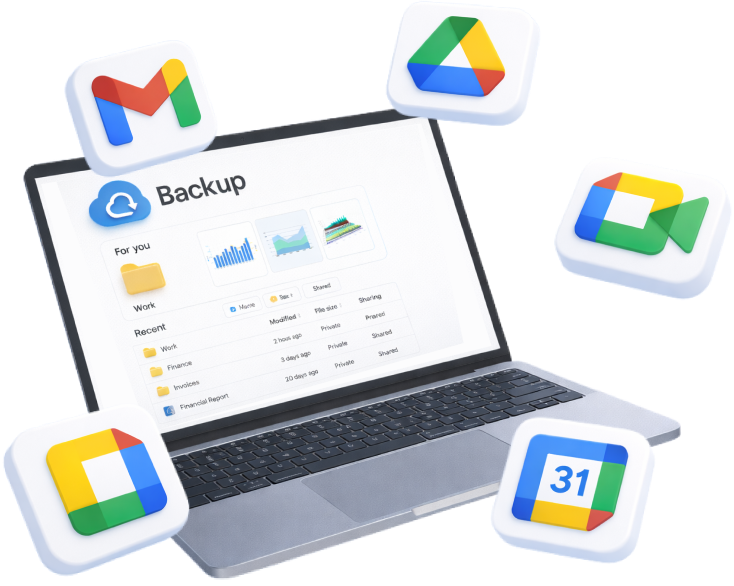
Mindtime connects via the official Google Workspace API and continuously backs up all content from your Google environment — per user, per app, in the background.
Gmail
All emails, attachments, labels and folders. Item-level recovery — including emails deleted by users or administrators.
Google Drive
All files, folders and version histories — including Google Docs, Sheets and Slides. Restore individual files or entire folder structures.
Shared Drives
Team Drive content, including permissions and folder structure. Critical for Architecture Firms who collaborate via shared folders.
Google Calendar
Appointments, meeting invitations and calendar items. Restore per user or per calendar.
Contacts
Personal contacts and directory data. Essential for sectors with extensive client and relationship databases.
Google Chat & Meet
Chat histories and Meet recordings. Essential for Architecture Firms who record client conversations or meetings.
Google Workspace and your retention obligation as architecture firm
Data that Architecture Firms manage in Google Workspace falls under GDPR + ARB Code of Conduct + CDM Regulations record-keeping. That obligation means you must be able to reproduce data for at least 6 years after project completion (contract records) / 12 years (structural) — even after an incident.
Google is GDPR-compliant as a platform. But the duty to recover lies with you, not Google. If data is lost due to an error, attack or account deletion, Google is not responsible for recovering your data.
Mindtime automatically configures retention policies based on your legal obligations — including the exact terms required by GDPR + ARB Code of Conduct + CDM Regulations record-keeping. All data is stored on exclusively Dutch servers, fully within GDPR jurisdiction. No US law, no Patriot Act exposure.
ISO 27001 certified — independent proof that our processes meet the highest security standards.
What happens when things go wrong — a scenario for Architecture Firms
Imagine: a project architect leaves mid-project and their account is deleted — removing planning correspondence, design approval emails and drawing revisions from the last 18 months.
Automatic alert — within minutes
Mindtime detects the change and immediately sends an alert. You don't need to check the backup manually.
Choose a recovery point — to the minute
Via the Mindtime dashboard you select the moment before the incident. You choose the exact user, app and timestamp.
Selective or full recovery
Restore a single email, a Drive folder, or a complete employee Google account. No big-bang recovery when it's not needed.
Operational — within 2–4 hours
Your Architecture Firms team has full access restored to project drawings and client documentation. No ransom paid, no data lost, no GDPR breach notification needed.
Secure your Google Workspace data in five steps
Setup via the Google Workspace Admin Console takes less than an hour. After that, everything runs fully automatically.
Request a demo — free and no obligation
We show you how Mindtime works for Architecture Firms — including per-app coverage and retention settings for 6 years after project completion (contract records) / 12 years (structural).
Connect via Google Workspace Admin Console
No software installation. Mindtime connects via the official Google Workspace API. Authorise via your Admin Console — done in minutes.
Configure your retention policy
Set which users, which apps and how long — aligned to GDPR + ARB Code of Conduct + CDM Regulations record-keeping (6 years after project completion (contract records) / 12 years (structural) retention obligation).
First backup + test recovery
The first full backup starts automatically. We run a test recovery together — so you know it works before you ever need it.
Runs automatically — quarterly review
Mindtime runs fully in the background. Monthly backup reports + quarterly review to keep the scope up to date.
How Architecture Firms use Google Workspace
How Architecture Firms use Gmail, Drive, Calendar and more
Architecture Firms use Google Workspace as their central workspace for Gmail, Drive, Google Meet and Calendar. What many don't realise: data is not automatically protected if an account is deleted, ransomware strikes, or an employee makes a mistake. Gmail contains client briefs, planning authority correspondence and contractor emails. Google Drive holds cad files, project specifications, planning submissions and contract documents.
- Architecture Firms
- Google Workspace
- GDPR + ARB Code of Conduct + CDM Regulations record-keeping
Does Google Workspace back up your data?
The Shared Responsibility Model explained
Google Workspace is reliable as a platform — 99.9% uptime, secure infrastructure, automatic redundancy. But Google does not back up your data. That is the Shared Responsibility Model: Google is responsible for the platform, you are responsible for your data. Deleted files remain recoverable for 30 days via the Trash — after that they are permanently gone.
Ransomware via Drive sync
Ransomware encrypts local files. Google Drive immediately syncs the encrypted versions — overwriting your cloud copy. After 30 days there is no recovery.
Account deleted
When an employee leaves and their account is deleted, everything disappears: Gmail, Drive, Calendar, Meet recordings, Chat history. You have 20 days to export — then it's gone.
Loss of project files during handover
When a project architect leaves, their Drive may contain years of design iterations, client approvals and correspondence not yet transferred to a project management system.
Google Vault vs Mindtime
Is Google Vault a backup? No — here's the difference
Many Architecture Firms use Google Vault for email archiving or e-discovery. That's valuable — but it is not a backup. Vault archives data for legal purposes. It cannot restore data after a ransomware attack, account deletion or human error. Mindtime is a full backup and recovery platform for all Google Workspace apps.
| Feature | Google Workspace (built-in) | Google Vault | Mindtime GW Backup |
|---|---|---|---|
| Recovery after ransomware | ✗ | ✗ | ✓ |
| Restore deleted account (>30 days) | ✗ | Limited | ✓ |
| Item-level email/file recovery | ✗ | ✗ | ✓ |
| Drive file recovery | 30 days | ✗ | ✓ |
| Retention compliance 6 years after project completion (contract records) / 12 years (structural) | ✗ | Email only | ✓ All apps |
| Data on Dutch servers | ✗ US/EU mix | ✗ US/EU mix | ✓ 100% NL |
| ISO 27001 certified | Google-level | Google-level | ✓ Mindtime + Google |
What Mindtime backs up
Gmail, Drive, Shared Drives, Calendar, Contacts, Chat & Meet
Mindtime connects via the official Google Workspace API and continuously backs up all content from your Google environment — per user, per app, in the background.
Gmail
All emails, attachments, labels and folders. Item-level recovery — including emails deleted by users or administrators.
Google Drive
All files, folders and version histories — including Docs, Sheets and Slides. Restore individual files or entire structures.
Shared Drives
Team Drive content including permissions and folder structure. Critical for Architecture Firms who collaborate via shared folders.
Compliance for Architecture Firms
GDPR + ARB Code of Conduct + CDM Regulations record-keeping — 6 years after project completion (contract records) / 12 years (structural) retention obligation
Data that Architecture Firms manage in Google Workspace falls under GDPR + ARB Code of Conduct + CDM Regulations record-keeping. That means you must be able to reproduce data for at least 6 years after project completion (contract records) / 12 years (structural) — even after an incident. Google is GDPR-compliant as a platform, but the duty to recover lies with you. If data is lost due to an error, attack or deletion, Google is not responsible for recovering your data. Mindtime automatically configures retention policies aligned to GDPR + ARB Code of Conduct + CDM Regulations record-keeping, storing all data exclusively on Dutch servers — fully within GDPR jurisdiction.
Recovery scenario
A real scenario for Architecture Firms — back up within 2–4 hours
Imagine: a project architect leaves mid-project and their account is deleted — removing planning correspondence, design approval emails and drawing revisions from the last 18 months. With Mindtime, your team restores the data via a point-in-time backup within 2–4 hours — no ransom paid, no data lost, no GDPR breach notification required.
Automatic alert — within minutes
Mindtime detects the change and immediately sends an alert. You don't need to check the backup manually.
Choose a recovery point — to the minute
Via the Mindtime dashboard you select the moment before the incident. Choose the exact user, app and timestamp.
Selective or full recovery
Restore a single email, a Drive folder, or a complete employee Google account. No big-bang recovery when it isn't needed.
Operational — within 2–4 hours
Your Architecture Firms team has full access restored to project drawings and client documentation. No ransom, no data loss, no GDPR notification required.
Five steps to secure your data
Set up in under an hour via Google Admin Console
Setup via the Google Workspace Admin Console takes less than an hour. After that, everything runs fully automatically. Mindtime configures retention for GDPR + ARB Code of Conduct + CDM Regulations record-keeping — 6 years after project completion (contract records) / 12 years (structural) — out of the box.
- ISO 27001
- 100% Dutch servers
- GDPR-compliant
- GDPR + ARB Code of Conduct + CDM Regulations record-keeping
Request a demo
Free demo, no obligation
Connect via Admin Console
Official API — done in minutes
Configure retention
Aligned to GDPR + ARB Code of Conduct + CDM Regulations record-keeping
First backup + test recovery
Automatic, verified
Runs automatically
Monthly reports + quarterly review
Frequently asked questions about Google Workspace backup for Architecture Firms
Frequently asked questions about Google Workspace backup for Architecture Firms.
Does Google Workspace automatically back up my data?
Google Workspace offers high platform availability but no backup. Deleted files are recoverable for 30 days via the Trash — after that they are permanently gone. Mindtime adds an independent, immutable backup outside Google's platform.
What is the difference between Google Vault and Mindtime?
Google Vault is an archiving tool for legal e-discovery and email retention. It does not restore data after ransomware, account deletion or human error. Mindtime is a complete backup and recovery platform for all Google Workspace apps.
Can Mindtime back up CAD and BIM files stored in Google Drive?
Yes. Mindtime backs up all file types stored in Google Drive — including DWG, RVT, IFC and any other file format your team uses for design and documentation.
How does Mindtime handle large project archives at project completion?
You can configure Mindtime to retain project archives for the full 6–12 year period required. Retention policies can be set per user, Shared Drive or folder — giving you precise control.
Is Mindtime compliant with GDPR + ARB Code of Conduct + CDM Regulations record-keeping?
Yes. Mindtime is ISO 27001 certified and stores all data exclusively in Dutch data centres within GDPR jurisdiction. Retention is automatically configured to comply with GDPR + ARB Code of Conduct + CDM Regulations record-keeping — including the 6 years after project completion (contract records) / 12 years (structural) obligation for project drawings and client documentation.
How quickly can I recover data?
A single email or file is recoverable within minutes. A full user account within 2–4 hours. Mindtime restores directly into Google Workspace — no manual import required.
Does Mindtime also work for related sectors?
Yes. Mindtime provides Google Workspace backup for various sectors. View the Google Workspace page for more information.
Protect your Google Workspace data as architecture firm
ISO 27001 certified · 100% Dutch servers · Connect via Admin Console · Operational within one hour
Learn more about Mindtime Google Workspace Backup →Free and no obligation · Average setup time: < 1 hour via Google Admin Console