

The First Four Hours: An M365 Ransomware Recovery Timeline
When SharePoint starts encrypting at 09:47, the next 240 minutes are decided by decisions you made months ago - here is the runbook, minute by minute.
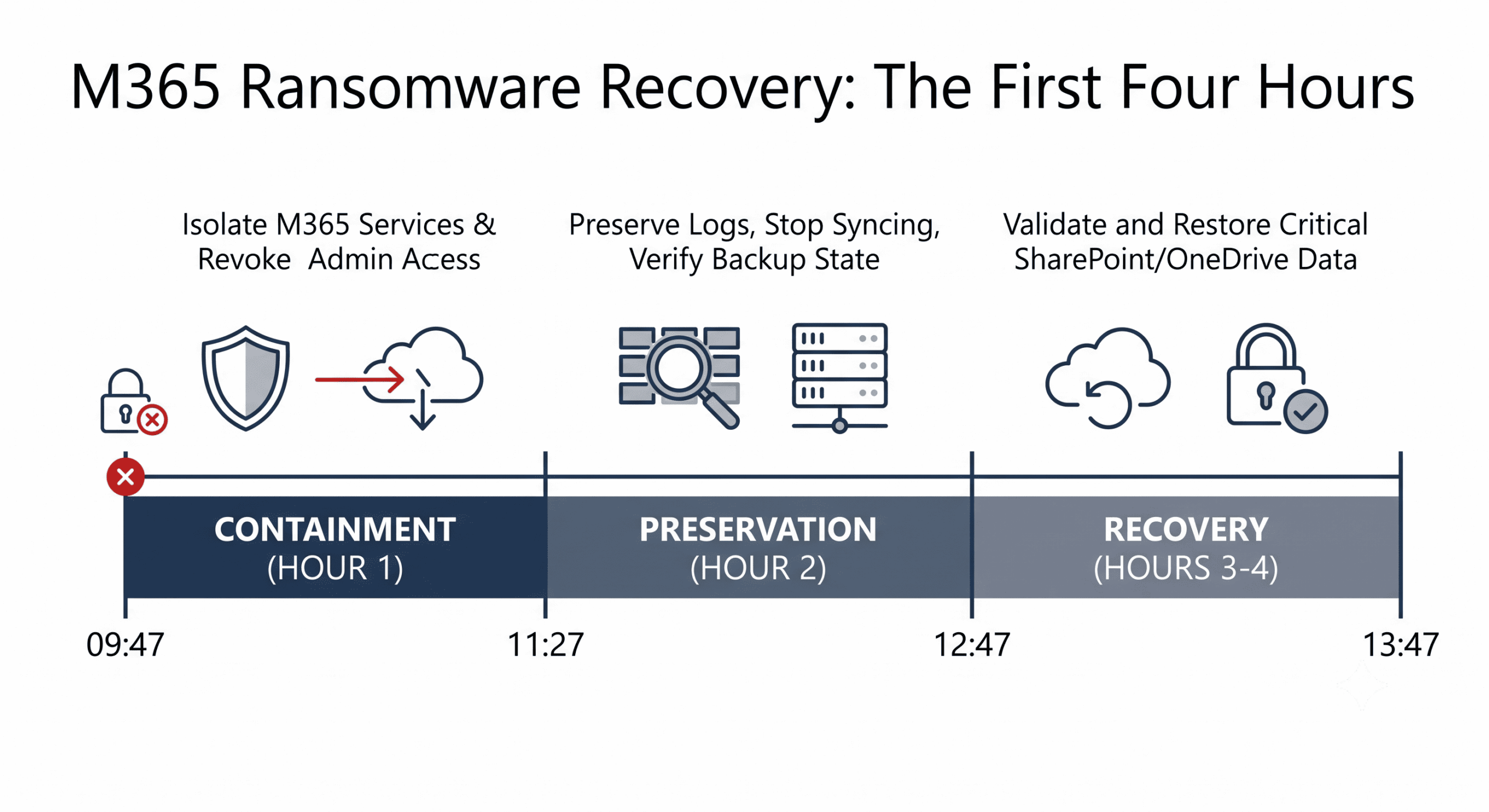
09:47 on a Tuesday: your monitoring flags mass file modifications in SharePoint. By 09:52, users report Teams files that won't open. Somewhere in your tenant, a compromised account is encrypting through legitimate APIs at machine speed. What happens over the next four hours depends almost entirely on one thing: whether the response is a rehearsed procedure or an improvisation.
This article is the procedure - a time-boxed runbook from T0 (detection) through T+240 minutes, with role assignments and documentation checkpoints. It exists because Microsoft's shared responsibility model puts recovery squarely on you: Microsoft keeps the platform running while your data gets encrypted on it, and the GDPR 72-hour clock plus NIS2's 24-hour early warning start ticking regardless of how prepared you were.
The misconception to dispose of first: "we'll figure it out when it happens." Ransomware response has too many parallel workstreams - containment, forensics, restoration, communication, regulatory reporting - for real-time invention. Teams that improvise lose hours to questions a runbook answers in seconds.
T0-T15: Detect, Declare, Isolate
The opening phase has one goal: stop the spread, on probable cause, without waiting for perfect information.
The First Fifteen Minutes, Boxed
T0-T3 - Declare and activate. The on-call lead confirms indicators (mass encryption, anomalous admin activity, EDR lateral-movement alerts), declares the incident, and pages the response team: M365/Entra admins, security, legal, communications. Record the exact detection time - it anchors every regulatory notification that follows.
T3-T8 - Cut the access. Disable suspicious accounts, revoke active sessions and refresh tokens via conditional access, and isolate implicated endpoints through your EDR tooling. Act on probable cause; a false positive costs minutes, hesitation costs libraries.
T8-T15 - Scope it. Query unified audit logs and sign-in logs: which mailboxes, sites, Teams, and OneDrives were touched, from which principals, since when. Rank by business criticality and open the shared, timestamped incident log - your future audit trail.
T15-T60: Revoke, Preserve, Start Restoring
T15-T25 - Credential hygiene at depth. Force password resets on admin and high-value accounts, revoke OAuth tokens and suspicious app registrations, review privileged roles for unfamiliar service principals, and enforce MFA tenant-wide if gaps exist. Attackers plant persistence; this step digs it out.
T25-T40 - Preserve before you repair. Export mailbox audit logs, SharePoint version histories, and sign-in reports; trigger an immutable snapshot of the compromised state in your backup platform. This evidence supports the insurance claim, the possible criminal complaint, and the NIS2/GDPR file - and under GDPR it should remain in EEA jurisdiction, which is where an EU-hosted Microsoft cloud backup earns its keep twice.
T40-T60 - First restores. Identify the five most critical Teams and SharePoint sites and roll them back to the last known-clean point using your independent backup. Validate by opening real documents. Note what this step assumes: ransomware operators routinely purge recycle bins and version histories first, so native tools are usually gone - the restore path that works is the one outside the tenant.
T60-T240: Full Restoration and Hardening
T60-T120 - Broad recovery. Restore remaining mailboxes and OneDrive accounts in business-priority order, watching for attacker residue as you go: hidden inbox rules, forwarding configurations, unfamiliar delegates. Remove indicators of compromise during restoration, not after.
T120-T180 - Close the doors. Disable legacy authentication, review conditional access and external sharing settings, tighten guest access, and enable advanced threat protection where absent. Log every change - under the NIS2 Directive this hardening record is evidence of duty of care, and your incident report will reference it.
T180-T240 - Validate and stand down. Test restored workloads end to end (authentication, permissions, file integrity, a live Teams call), confirm no re-encryption is occurring, and schedule the post-incident review. The difference between organizations that hit this checkpoint at hour four versus day four is, according to IBM's Cost of a Data Breach Report, measured in millions - recovery speed is the strongest controllable cost factor in the 2024 average of USD 4.88 million per breach.
The Parallel Track: Communication and Reporting
While the technical timeline runs, a second track runs beside it. Internally: hourly executive updates in business language (status, ETA, actions needed) for the first four hours, then daily summaries. Regulators: NIS2 requires an early warning to your CSIRT/authority within 24 hours of awareness and an incident notification within 72; GDPR adds the 72-hour data protection authority notification when personal data is at risk. Insurer: notify immediately - most policies require prompt notice and many bring incident-response resources; immutable-backup evidence showing recovery without ransom payment materially strengthens the claim.
None of these audiences can wait for the technical work to finish, which is exactly why the runbook assigns communication to named non-technical owners at T0.
What This Timeline Presumes - Build It Before You Need It
| Prerequisite | Why the timeline fails without it |
|---|---|
| Immutable, independent M365 backup | T40 restore point doesn't exist; runbook becomes ransom negotiation |
| Tested point-in-time restore | Restores that were never rehearsed miss RTO by days, not minutes |
| Named response roles | T0-T3 stretches to an hour of "who calls whom" |
| Timestamped logging discipline | No evidence for insurer, NIS2, or GDPR files |
| Quarterly tabletop exercises | Every phase runs at half speed the first real time |
Building the first two rows is an architecture decision: an independent ransomware protection layer with immutable, EU-hosted snapshots, restore-tested on a schedule until the timings in this article are your measured numbers rather than aspirations.
Conclusion
A Microsoft 365 ransomware incident is won or lost twice: once in the four hours after detection, and once in the months before - when you either built immutable independent backups, rehearsed the restores, assigned the roles, and drafted the notifications, or didn't. The timeline above is deliberately unheroic: every step is ordinary, provided it was prepared. Run it as a tabletop exercise this quarter, replace the assumed timings with your measured ones, and the worst Tuesday of the year becomes a long but survivable day. If you'd like to validate your tenant's recovery readiness against this timeline, we're happy to walk through it with you.
Frequently Asked Questions
How long does it take to recover Microsoft 365 from ransomware?
With tested, immutable point-in-time backups, priority workloads such as executive mailboxes and critical SharePoint sites are typically restorable within 2-4 hours, and full tenant recovery for a mid-sized organization within 24-48 hours. Without independent backups - or with backups that were never restore-tested - recovery stretches to days or weeks, and may become impossible if attackers purged native recovery options like recycle bins and version history before encrypting.
What should you do first when ransomware hits a Microsoft 365 tenant?
Contain, on probable cause: disable suspicious accounts, revoke active sessions and tokens, and isolate implicated endpoints - within the first 15 minutes if possible. Simultaneously declare the incident, activate the response team, and start a timestamped incident log, because the detection time anchors your GDPR 72-hour and NIS2 24-hour reporting clocks. Preserve forensic evidence (audit logs, a snapshot of the compromised state) before beginning any restoration.
What are the reporting deadlines after a ransomware attack in the EU?
Under NIS2, in-scope entities must submit an early warning to their national CSIRT or authority within 24 hours of becoming aware of a significant incident, followed by an incident notification within 72 hours and a final report within one month. Under GDPR, a personal data breach that risks individuals' rights must be reported to the data protection authority within 72 hours. Cyber insurance policies typically require immediate notification as well - these clocks run in parallel with technical recovery, not after it.