

Nightly Backups Can't Keep Up with Modern Ransomware
When encryption starts at 14:00 and your last backup ran at 23:00 yesterday, fifteen hours of work is already gone — continuous models close that gap.
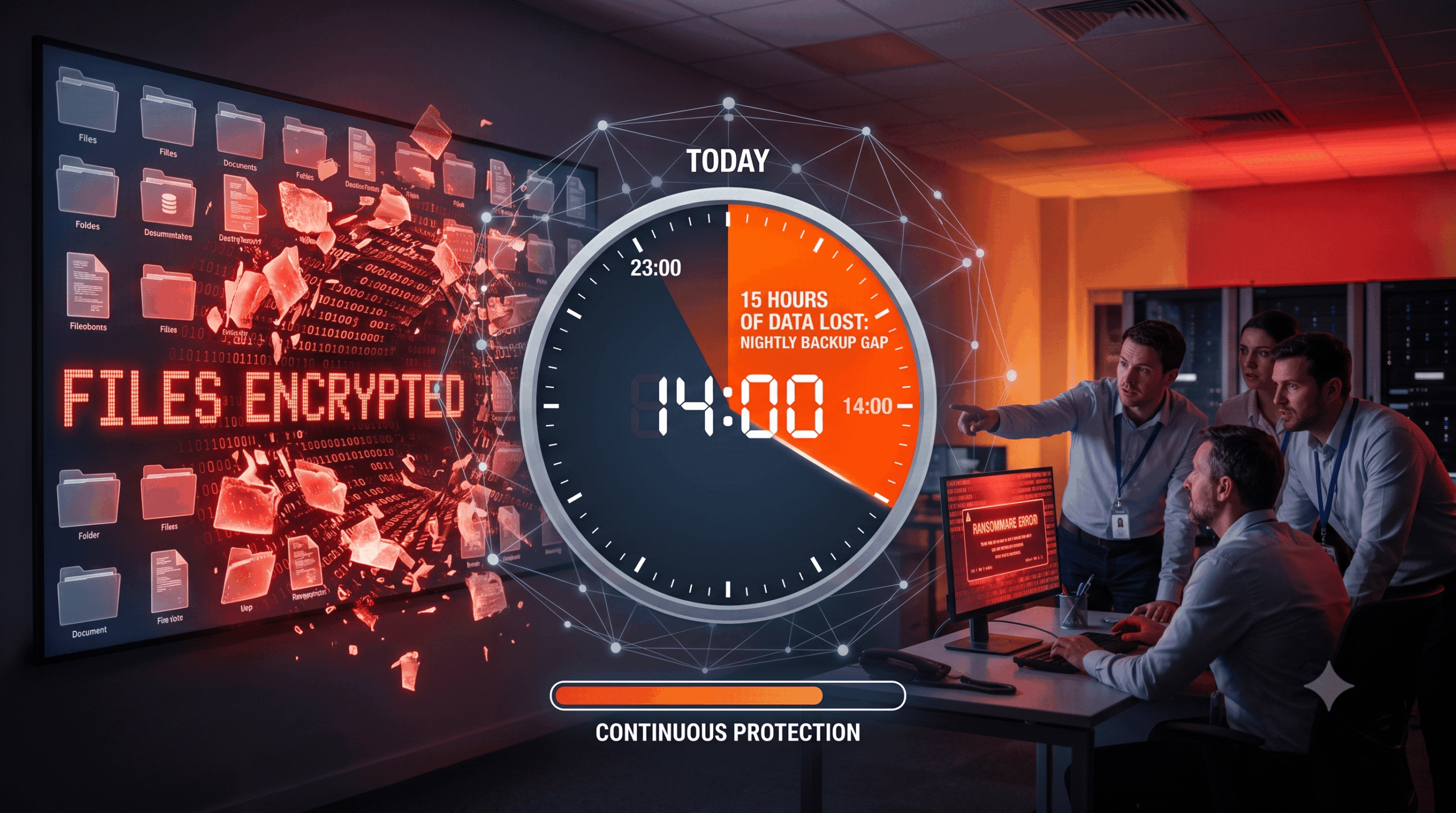
An engineering firm gets hit by ransomware on a Thursday afternoon. Their backups are solid: immutable, tested, restorable. But the last snapshot ran the previous night — so restoring means losing everything produced since: a day of CAD revisions, contract edits, and order entries across two hundred people. The restore succeeds; the data loss still costs weeks of rework.
This is the recovery point objective (RPO) problem, and ransomware has made it sharper. Modern operators move fast — from initial access to encryption in hours, sometimes minutes — and they deliberately time attacks against predictable backup windows. A backup strategy can be immutable and tested and still lose a full business day simply because it runs on yesterday's schedule.
The misconception to correct: "we back up daily, so we're protected." You're protected against losing everything. You are not protected against losing today — and for many organizations, today is expensive.
What Is Continuous Backup?
Continuous backup (also called continuous data protection, CDP) captures data changes as they happen — or at very short intervals — instead of copying everything at a scheduled hour. Change-tracking at the filesystem or block level detects modifications and replicates them to backup storage in near real time.
Continuous vs. Scheduled: The Practical Difference
| Scheduled (nightly) | Continuous / near-continuous | |
|---|---|---|
| Typical RPO | Up to 24 hours | Minutes to ~1 hour |
| Backup window | Required, often disruptive | None — changes stream continuously |
| Exposure to mid-day attacks | Full working day lost | Minimal |
| Restore granularity | Last night's state | Point-in-time, close to moment of attack |
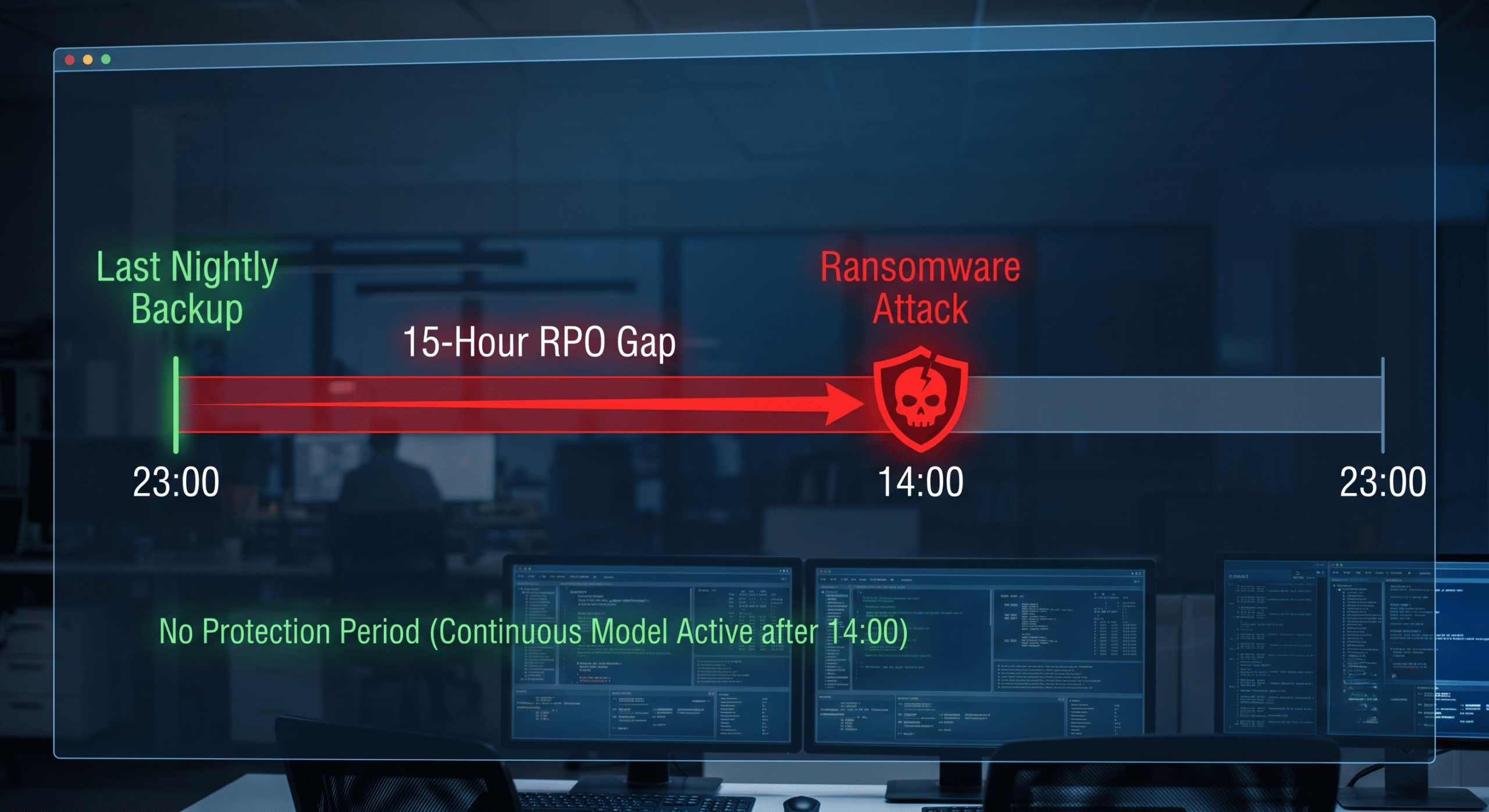
For low-change environments a nightly cycle may be fine. For endpoints, Microsoft 365, and any system where a day of data equals real money, the gap between the two rows is the business case.
Does a Daily Backup Protect You Against Ransomware?
Only partially. A daily backup protects you against total loss, but it accepts up to 24 hours of data loss as a baseline — and that assumes the backup itself survives. Modern ransomware playbooks attack this assumption from two sides: they strike during working hours to maximize the gap since the last backup, and they hunt for backup infrastructure first so there is nothing to restore from at all.
According to ENISA's Threat Landscape, ransomware remains among the most prevalent EU threats, with ransomware-as-a-service lowering the entry barrier and attack execution times continuing to shrink. The tactical picture — fast, timed, backup-aware attacks — is exactly what a slow, predictable backup schedule cannot answer. The NIS2 Directive responds by making backup management and business continuity explicit obligations, and in practice supervisors and insurers increasingly ask what your RPO actually is, not whether backups exist.
Where the Losses Concentrate: Endpoints and SaaS
The systems with the highest change velocity are usually the worst protected. Endpoints — laptops carrying unsynced local work, the entry point for most ransomware — often sit outside the nightly cycle entirely; a dedicated endpoint backup with frequent, automated snapshots closes that hole. SaaS data changes continuously too: a compromised Microsoft 365 account can encrypt or delete through synced clients within minutes, and native recycle bins are not a recovery strategy.
The cost asymmetry is what makes RPO a financial number rather than a technical one. According to IBM's Cost of a Data Breach Report, the global average breach cost reached USD 4.88 million in 2024 — and the productive work lost inside a wide RPO window is part of that bill in every ransomware case where restores technically "succeed."
Implementing Continuous Backup: A Five-Step Plan
Set RPO per system, in money. For each critical system, ask what one hour of lost data costs. That number — not storage price — determines which systems justify continuous protection.
Deploy change-tracked backup on high-velocity systems. Endpoints, file servers, and SaaS workloads first. Aim for snapshot intervals of 15–60 minutes where the loss calculation demands it.
Make every copy immutable and EU-hosted. Frequent backups that an attacker can encrypt are frequent hostages. Write copies to WORM/immutable storage in EU data centers, isolated from production credentials — the architecture behind dedicated ransomware protection.
Automate retention tiers. Continuous models generate volume; automate aging (e.g., every snapshot for 48 hours, hourly for 30 days, daily beyond) aligned with GDPR minimization and your audit obligations.
Test restores against the clock. Quarterly, restore from a mid-day point and measure both RTO and achieved RPO. Documented results are your NIS2 and insurance evidence — and your proof the model works before you need it, backed by a tested disaster recovery path for full-environment failures.
The Cost Question, Answered Honestly
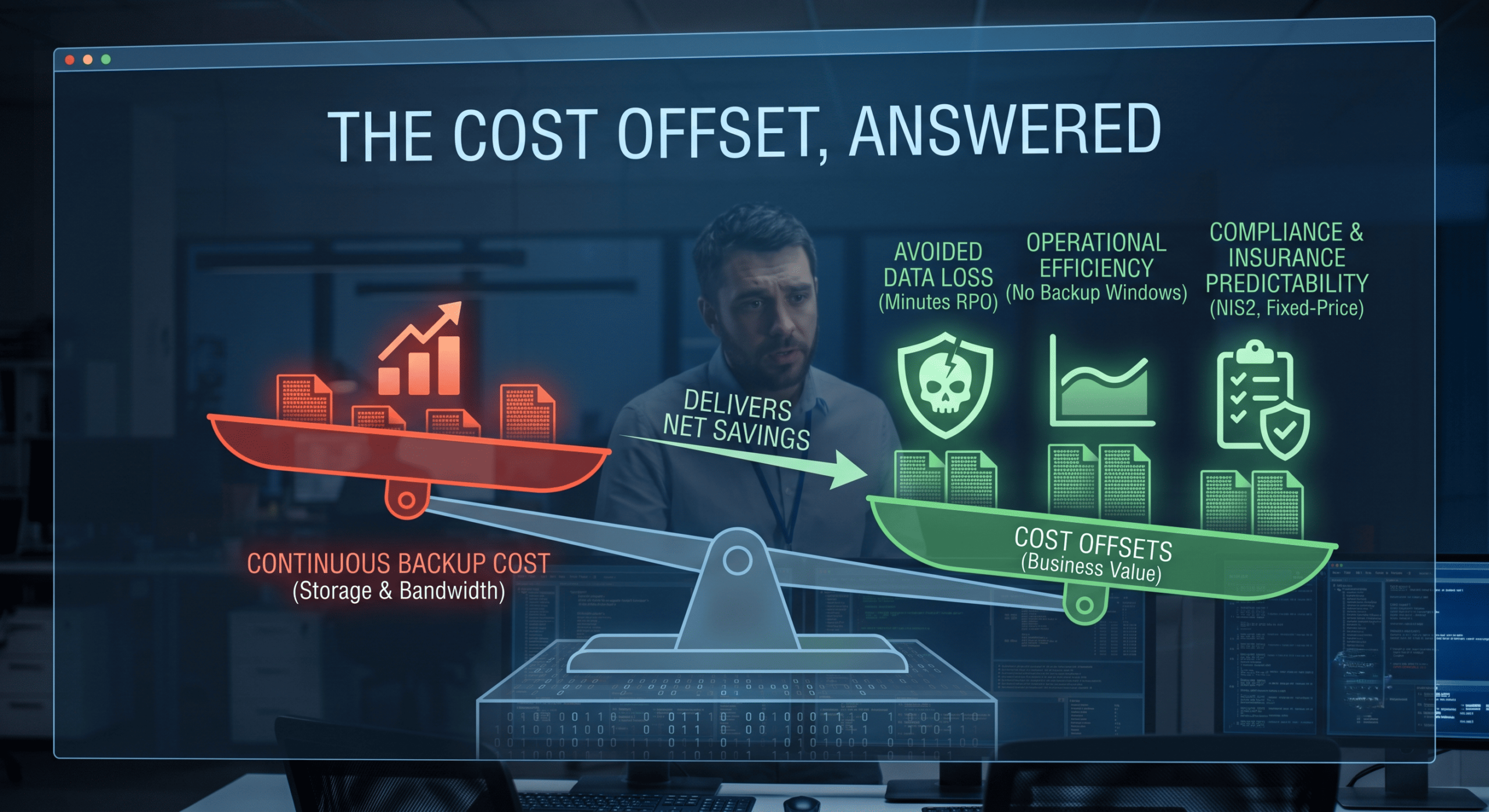
Continuous models consume more storage and bandwidth than nightly cycles — that is real. The offset comes from three directions. First, avoided loss: a single mid-day incident with an RPO of minutes instead of hours typically repays years of storage delta. Second, operations: no backup window means no nightly performance dip and no weekend jobs to babysit. Third, compliance and insurance: demonstrable low RPO with immutable copies is precisely the control cyber insurers now price for, and the evidence NIS2 audits request. Fixed-price, unlimited-storage models remove the last objection by making the cost predictable rather than growing with your data.
Conclusion
Ransomware has turned backup frequency into an attack parameter: operators strike where the gap since your last snapshot is widest and hope your copies are reachable. Continuous backup answers both moves — RPO measured in minutes, copies that stream into immutable, isolated, EU-hosted storage. The nightly cycle isn't wrong; it's just no longer aligned with how fast the threat, and your data, move. If you want to know what your actual RPO would be in a mid-day incident, we can help you measure it — before an attacker does.
Frequently Asked Questions
What is the difference between RPO and RTO?
RPO (recovery point objective) is the maximum amount of data loss an organization accepts, measured as the time between the last usable backup and the incident — a nightly backup implies an RPO of up to 24 hours. RTO (recovery time objective) is how quickly systems must be running again after an incident. Continuous backup models primarily attack the RPO problem by shrinking the gap between backups to minutes.
How does continuous backup work?
Continuous backup uses change-tracking at the filesystem or block level to detect modifications as they happen and replicate them to backup storage in near real time, or at short intervals such as every 15 to 60 minutes. Unlike scheduled backups, there is no backup window: data streams continuously without interrupting operations. Restores can then target a point in time minutes before an incident rather than the previous night.
Is continuous backup enough to stop ransomware?
No single control stops ransomware, and continuous backup only helps if the copies themselves survive the attack. The frequency must be paired with immutability (tamper-proof, write-once storage), isolation from production credentials, and regularly tested restores. Combined with endpoint detection and access controls to reduce the likelihood of compromise, continuous immutable backups cap the damage by guaranteeing a recent, clean recovery point.