

Who Backs Up Your Power BI Data? Probably Nobody
Dashboards feel safe because they always load — but the datasets, reports, and gateways behind them are rarely protected.
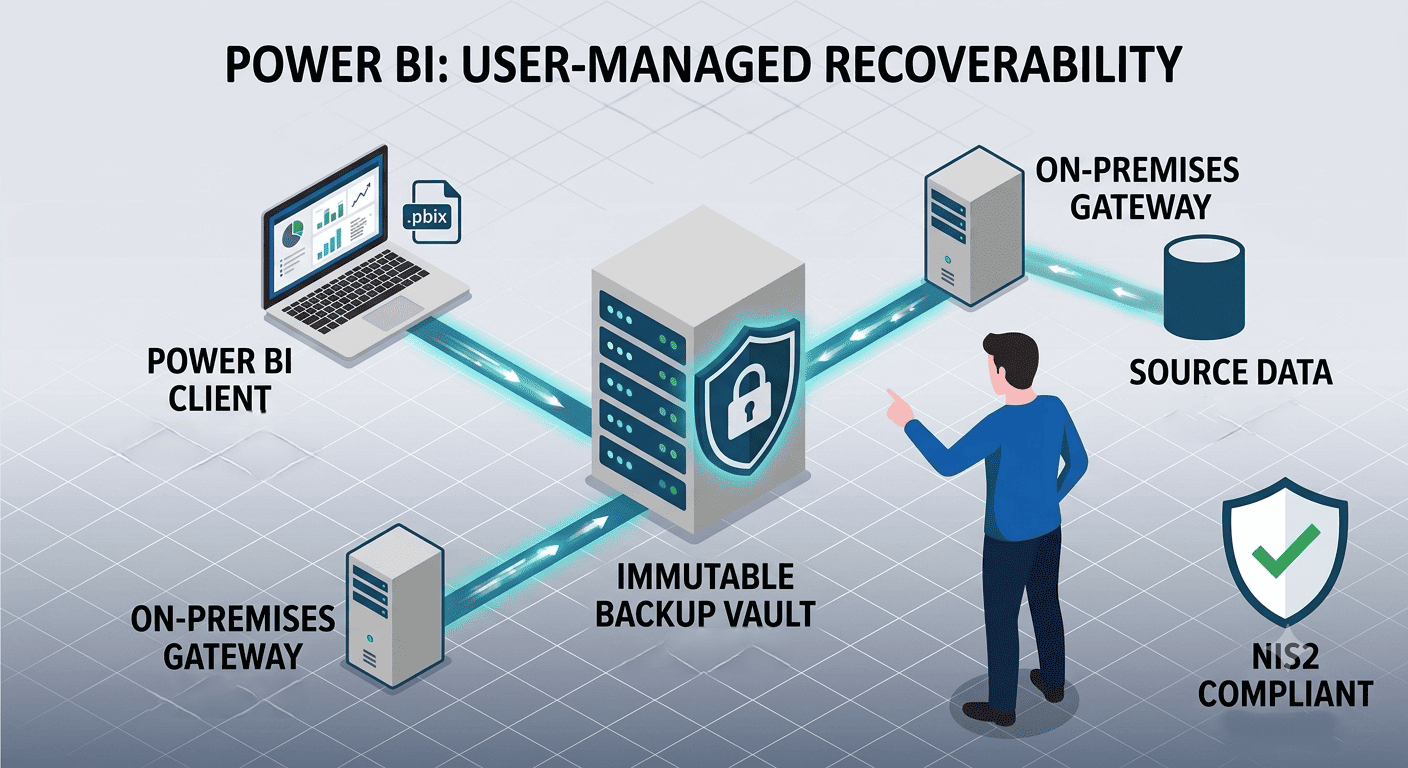
A finance team opens its Monday dashboard and finds it empty. A well-intentioned cleanup script deleted a workspace on Friday; the semantic models, reports, and months of curated measures went with it. The underlying source databases are fine — but the analytical layer built on top of them is gone, and nobody can say when it was last exported.
Scenarios like this are increasingly common as organizations run Power BI across hybrid environments: cloud workspaces on one side, on-premises data gateways and local sources on the other. Each half assumes the other is protected. For EU organizations, GDPR and NIS2 add a second question on top of recoverability: where does that analytics data actually live?
The misconception this article corrects: "our data warehouse is backed up, so our Power BI environment is safe." The warehouse is only one layer — and usually not the one you lose.
What Does Power BI Data Protection Actually Cover?
Power BI data protection means making every layer of your analytics environment recoverable: the source data, the semantic models and datasets, the report definitions, and the configuration that connects them. In a hybrid deployment those layers live in different places, which is exactly why they slip through the cracks.
The Four Layers You Need to Account For
Source data. Databases and files, on-premises or in the cloud. Usually the best-protected layer.
Semantic models and datasets. The curated measures, relationships, and transformations built in Power BI. Often exist nowhere else.
Reports and dashboards. The .pbix/PBIP definitions. Recoverable only if exported and versioned.
Gateways and configuration. The on-premises data gateway settings, credentials, and refresh schedules that make hybrid connectivity work.
Losing layer 1 is a database restore. Losing layers 2–4 means rebuilding months of analytical work by hand.
Does Microsoft Back Up Your Power BI Environment?
No — not in the sense most organizations assume. Microsoft operates the Power BI service under a shared responsibility model: the platform's availability, infrastructure, and internal redundancy are Microsoft's job; the recoverability of your content is yours. There is no native point-in-time restore for a deleted workspace, an overwritten semantic model, or a report someone edited into a broken state.
Availability is not recoverability. The service being online (availability) tells you nothing about whether you can get last Tuesday's version of a dataset back (recoverability). Deleted workspaces have only a limited retention window, personal workspaces are tied to individual accounts, and none of this constitutes the demonstrable, tested restore capability that auditors and regulators increasingly expect.
The Risks Hybrid Setups Add
Hybrid Power BI environments concentrate three risk types. First, visibility gaps: data flows through on-premises gateways into cloud workspaces, and neither the on-prem team nor the cloud team owns the full picture, so misconfigurations and unauthorized sharing go unnoticed. Second, sovereignty: report data cached or processed by US-based hyperscalers can put you at odds with GDPR expectations on data residency — a growing board-level concern given the US CLOUD Act. Third, regulatory proof: under the NIS2 Directive, essential and important entities must implement backup management and demonstrate recovery capability as part of their risk-management measures — "we think we could rebuild it" does not qualify.
The financial dimension is not hypothetical: under GDPR, serious infringements can draw fines of up to 4% of global annual turnover, and according to IBM's Cost of a Data Breach Report, the global average breach cost reached USD 4.88 million in 2024. Keeping the full analytics chain — sources, models, exports — in EU-jurisdiction storage with continuous monitoring, as in a managed data security setup, addresses both exposure paths at once.
How to Make Power BI Recoverable: A Five-Step Plan
Classify what matters. Inventory workspaces and flag the datasets and reports that decisions actually depend on. Move production content out of personal workspaces.
Export and version report definitions. Automate regular exports of .pbix or PBIP files to a protected repository, so every report has a restorable, versioned copy.
Back up the sources — in EU jurisdiction. Ensure the databases and files feeding your gateways are covered by immutable, EU-hosted business cloud backup, so the bottom layer of the stack can never be held hostage.
Document gateway and tenant configuration. Record gateway settings, credentials management, refresh schedules, and workspace permissions so the connective tissue can be rebuilt quickly.
Test the restore quarterly. Restore a dataset and a report from backup to a test workspace, measure the time it takes, and file the result — this is the evidence NIS2 audits and insurers ask for.
What a Data Loss Incident Actually Costs
| Impact | Without tested backups | With tested, immutable backups |
|---|---|---|
| Rebuild effort | Weeks of re-modeling by analysts | Hours: restore models and reports |
| Decision-making | Dashboards dark, reporting frozen | Brief interruption |
| Compliance | No restore evidence for NIS2/GDPR audits | Documented RPO/RTO proof |
| Ransomware exposure | Analytics layer is leverage for extortion | Immutable copies remove the leverage |
The ransomware column deserves emphasis: attackers increasingly target data that halts operations, and a company blind to its own numbers negotiates badly. Immutable, isolated copies — the same principle behind dedicated ransomware protection — remove analytics data from the attacker's leverage entirely.
Conclusion
Power BI environments fail quietly: not through cloud outages, but through deleted workspaces, overwritten models, and hybrid configurations nobody documented. Because Microsoft's responsibility ends at platform availability, recoverability of your analytics layer is a job you have to do deliberately — exported definitions, protected sources, documented configuration, and restore tests that produce evidence. If you want a clear picture of what in your Power BI estate is currently recoverable and what isn't, we're glad to help you map it.
Frequently Asked Questions
Does Microsoft automatically back up Power BI reports and datasets?
No. Microsoft ensures the Power BI service itself is available and redundant, but it does not provide restorable backups of your workspaces, reports, or semantic models. Deleted content is only retained for a limited window, and there is no point-in-time restore for overwritten datasets. Organizations are responsible for exporting report definitions and protecting source data themselves under the shared responsibility model.
What is the difference between availability and recoverability in analytics platforms?
Availability means the service is up and dashboards load; recoverability means you can restore your specific content to a known previous state after deletion, corruption, or attack. A platform can offer excellent availability while providing no meaningful recoverability for customer content. Compliance frameworks such as NIS2 test the second property, not the first — auditors ask for evidence of successful restores, not uptime statistics.
How should companies back up Power BI in a hybrid environment?
Cover all four layers: back up the on-premises and cloud source data with immutable storage, automate exports of .pbix or PBIP report definitions to a versioned repository, document gateway and tenant configuration, and test restores on a fixed schedule. Storing backups in EU-jurisdiction data centers keeps the setup aligned with GDPR data residency expectations. Quarterly restore tests with documented results provide the audit evidence regulators and insurers request.