

The Microsoft 365 Line Nobody Reads: Your Data Is Your Problem
Microsoft keeps the service running; keeping your data recoverable is contractually, explicitly, yours.
An HR manager deletes a departed employee's account, unaware that the OneDrive attached to it held the only copies of signed contracts. Ninety days later the retention window closes and the files are gone — permanently. When the company calls Microsoft, the answer is polite and final: account lifecycle management is the customer's responsibility.
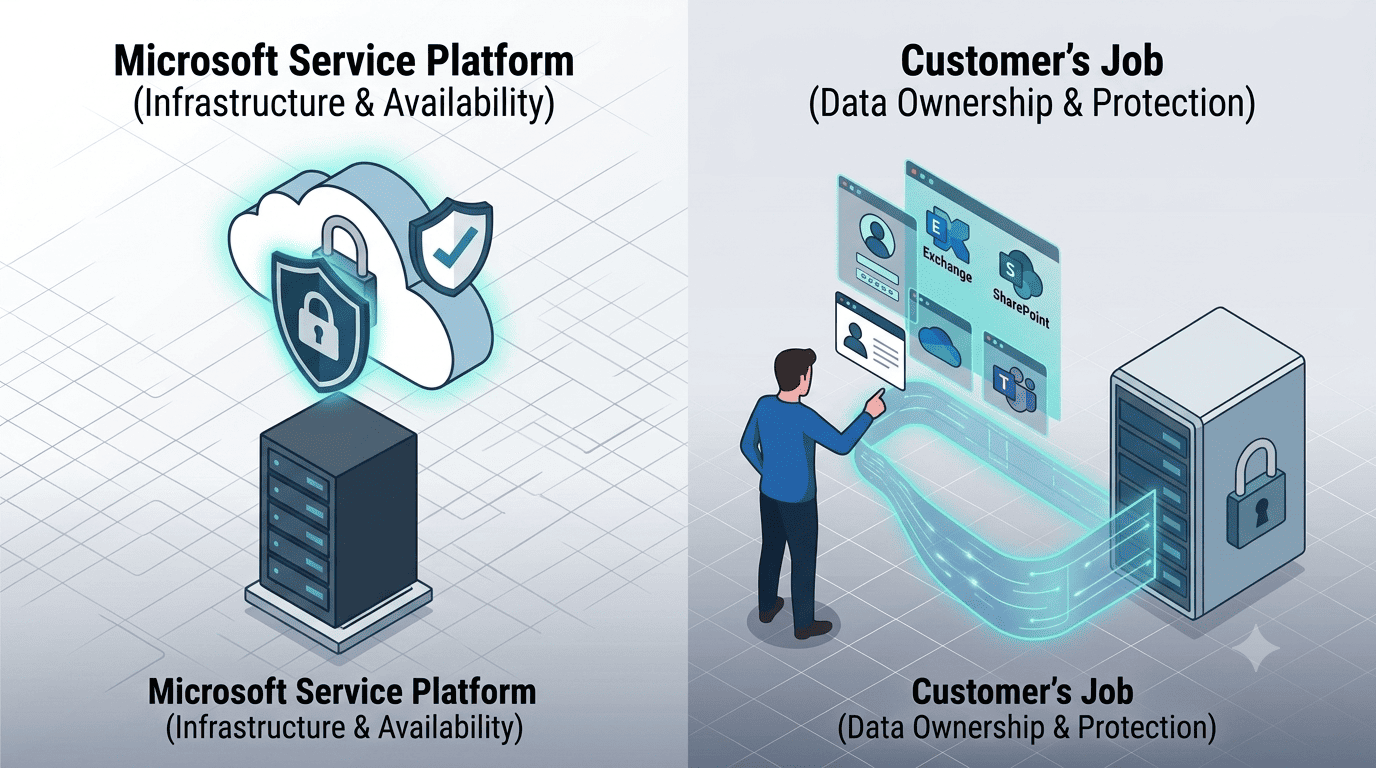
This is the shared responsibility model working exactly as designed. Microsoft operates the Microsoft 365 platform — datacenters, uptime, patching, infrastructure security — while the customer owns everything that happens to the data inside it: retention, access, protection, and recovery. EU organizations facing GDPR accountability and NIS2 recovery requirements cannot outsource that ownership by assumption.
The misconception this article dismantles is the most expensive one in cloud computing: "it's in Microsoft's cloud, so Microsoft backs it up." It doesn't, and it says so.
What Is the Shared Responsibility Model?
The shared responsibility model is the contractual division of duties between a cloud provider and its customer. For SaaS platforms like Microsoft 365, the provider secures and operates the service; the customer controls and protects the data, identities, and configurations inside it. Microsoft documents this division openly in its shared responsibility guidance: responsibility for "information and data" is always retained by the customer, regardless of the service model.
The division at a glance
| Responsibility | Microsoft | You |
|---|---|---|
| Datacenters, hardware, network | ✔ | |
| Service uptime & platform security | ✔ | |
| Identity & access configuration | ✔ | |
| Data retention & lifecycle | ✔ | |
| Backup & recovery of your content | ✔ | |
| Regulatory compliance for your data | ✔ |
Doesn't Microsoft's Replication Protect My Data?
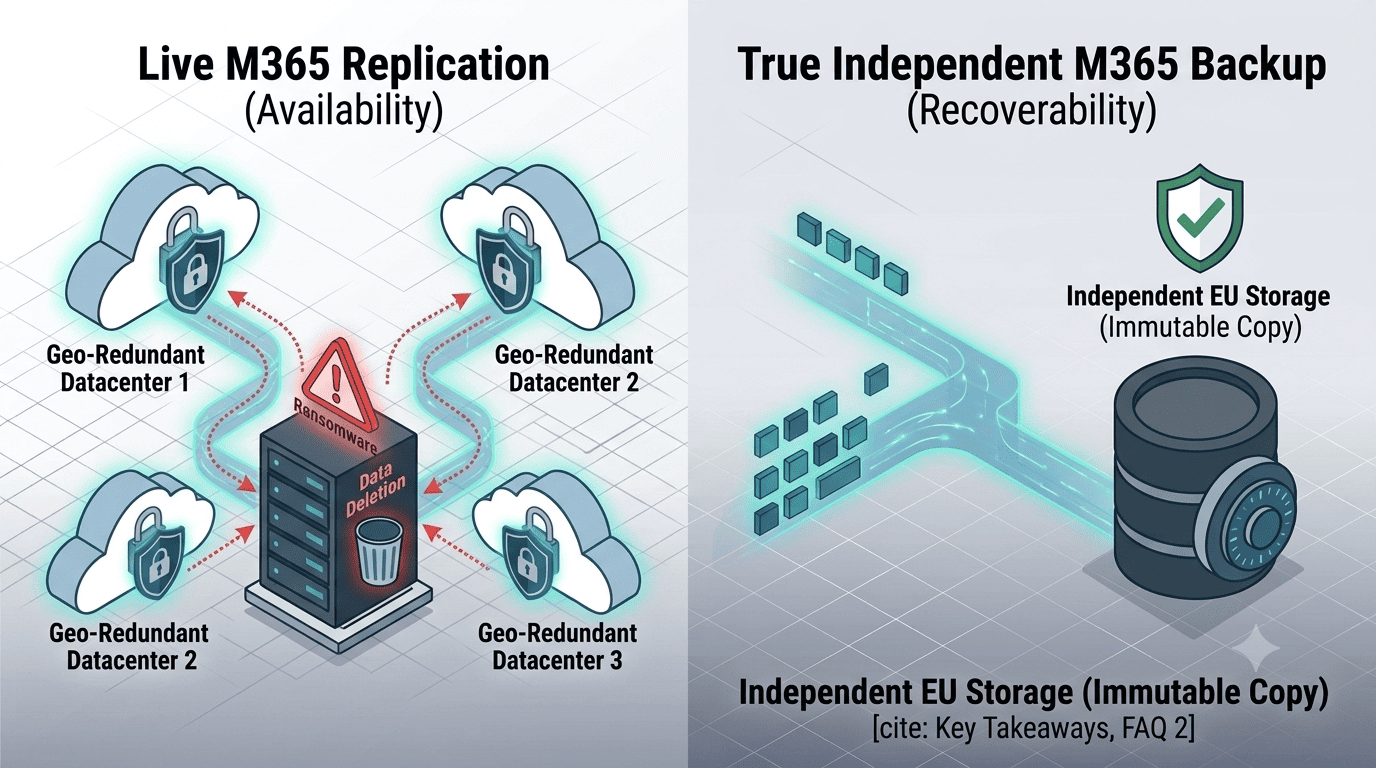
No — replication and backup solve different problems. Microsoft replicates your data across datacenters to survive hardware failure and keep the service available. But replication is faithful by design: delete a file, and the deletion replicates; get hit by ransomware that encrypts SharePoint libraries via a compromised account, and the encrypted versions replicate too. Every replica is equally broken within minutes.
Backup, by contrast, means an independent, point-in-time copy you can restore from before the damage. Native Microsoft 365 tools offer partial help — recycle bins, version history, retention policies — but with hard limits: deleted items windows measured in weeks, no true point-in-time restore across a tenant, and no copy that exists outside the tenant an attacker just compromised. Availability is not recoverability, and Microsoft only promises the first.
What Goes Wrong When the Model Is Misread
The failure modes are mundane and constant. Departed-employee cleanups that silently destroy business records once retention lapses. Accidental bulk deletions synced across devices before anyone notices. Malicious insiders emptying mailboxes on the way out. And ransomware operators who specifically target cloud data because they know most victims have no copy outside the tenant.
The regulatory exposure compounds the operational one. GDPR's accountability principle requires organizations to ensure — and demonstrate — appropriate protection of personal data they control. The NIS2 Directive goes further for in-scope entities, mandating backup management and disaster recovery as explicit risk-management measures. And according to IBM's Cost of a Data Breach Report, the global average breach cost reached USD 4.88 million in 2024 — with unrecoverable data among the strongest cost drivers. Cyber insurers have drawn their conclusion: proof of independent, tested backups is increasingly a condition of coverage.
How to Cover Your Side of the Model: A Five-Step Plan
Map your data estate. Identify what lives in Exchange, SharePoint, OneDrive, and Teams, and which of it is business-critical or subject to retention obligations.
Deploy an independent backup. Implement a dedicated Microsoft 365 backup that stores immutable, point-in-time copies outside your tenant — in EU data centers if data sovereignty matters to your compliance posture.
Set retention by obligation, not default. Align backup retention with your legal and contractual duties (often years), not with Microsoft's recycle-bin windows (often weeks).
Protect the account lifecycle. Build a leaver process that preserves mailbox and OneDrive data via backup before accounts are deleted — the most common permanent-loss scenario in practice.
Test and document restores. Run quarterly restore tests against RTO/RPO targets and file the results; under NIS2 this documentation is the difference between claiming resilience and proving it, and a tested disaster recovery procedure completes the evidence chain.
Why EU Jurisdiction Belongs in the Decision
Where your backup copies live determines which laws reach them. Copies held by US-headquartered hyperscalers remain subject to the US CLOUD Act regardless of datacenter location — a live concern for European organizations with strict sovereignty requirements. Keeping independent backups in EU-owned infrastructure under Dutch or German jurisdiction closes that gap, aligns cleanly with GDPR expectations, and simplifies conversations with auditors. It also adds a structural security benefit: a backup outside the Microsoft ecosystem, with separate credentials and dedicated data security controls, is beyond the reach of whoever compromises your tenant.
Conclusion
The shared responsibility model is not fine print — it is the operating agreement of cloud computing, and it assigns your data's recoverability to you unambiguously. Microsoft will keep the service running through almost anything; it will also faithfully replicate every deletion, encryption, and mistake your tenant produces. Independent, immutable, EU-hosted backups with tested restores are how an organization actually holds up its side. If you'd like to check where your current setup leaves gaps against the model, we're happy to map it with you.
Frequently Asked Questions
Is Microsoft responsible for backing up my Microsoft 365 data?
No. Under the shared responsibility model, Microsoft is responsible for the availability and security of the Microsoft 365 service, while customers retain full responsibility for their data — including backup and recovery. Microsoft's own documentation states that responsibility for information and data always remains with the customer. Native tools like recycle bins and version history provide only limited, short-term recovery options.
What is the difference between replication and backup in Microsoft 365?
Replication copies your live data across multiple datacenters to keep the service available during infrastructure failures — but it copies changes indiscriminately, including deletions, corruption, and ransomware encryption. A backup is an independent point-in-time copy stored outside the live system, from which data can be restored to a state before the damage occurred. Replication protects the service; backup protects your data.
How long does Microsoft 365 keep deleted files and emails?
Native retention windows are limited: deleted items typically survive 30 to 93 days depending on the service and configuration, after which they are permanently purged. Version history and retention policies can extend protection for specific scenarios but do not amount to point-in-time recovery of a mailbox, site, or tenant. Organizations with longer legal retention obligations need an independent backup with retention configured to match those duties.