navlogo_blue

English

Dutch

Backup Your
Microsoft 365 Data

Secure, EU-hosted backups you fully control.

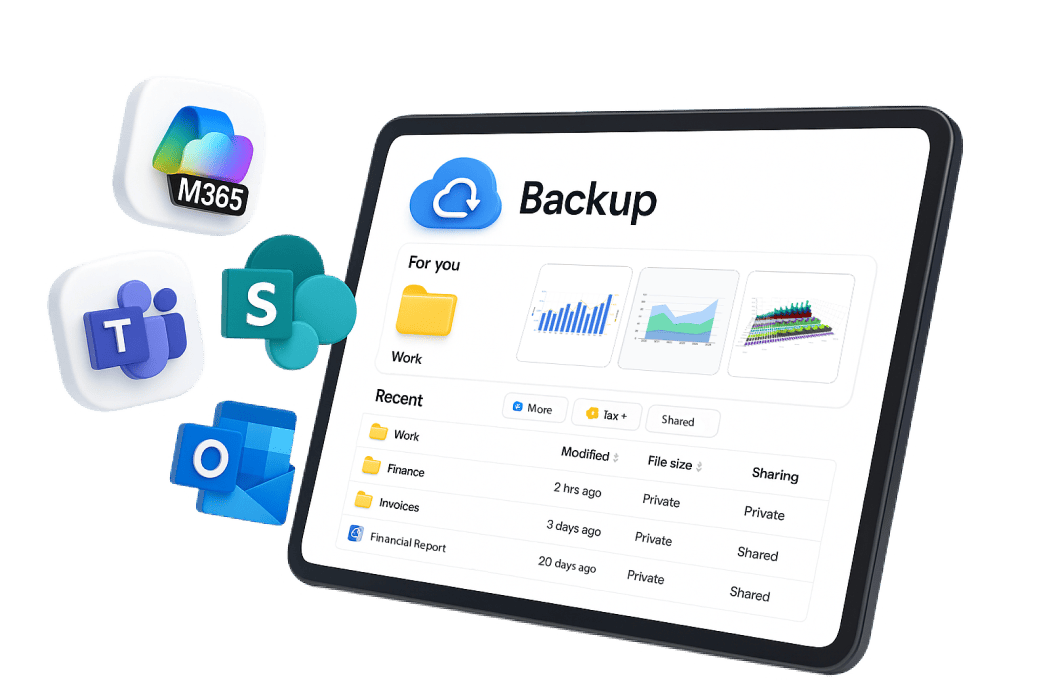
Mindtime M365 backup works with:

Best price & value

Recover in minutes

100% GDPR compliant

When using Microsoft 365,
is your data really safe?

Increased Cyberattacks

Native retention isn’t designed for modern attacks.

Data loss & human error

Deleted data isn’t always recoverable.

Compliance Challenges

Data residency and GDPR risks are real.

Your M365 Data = Your Responsibility

Microsoft secures the platform. You must secure the data.

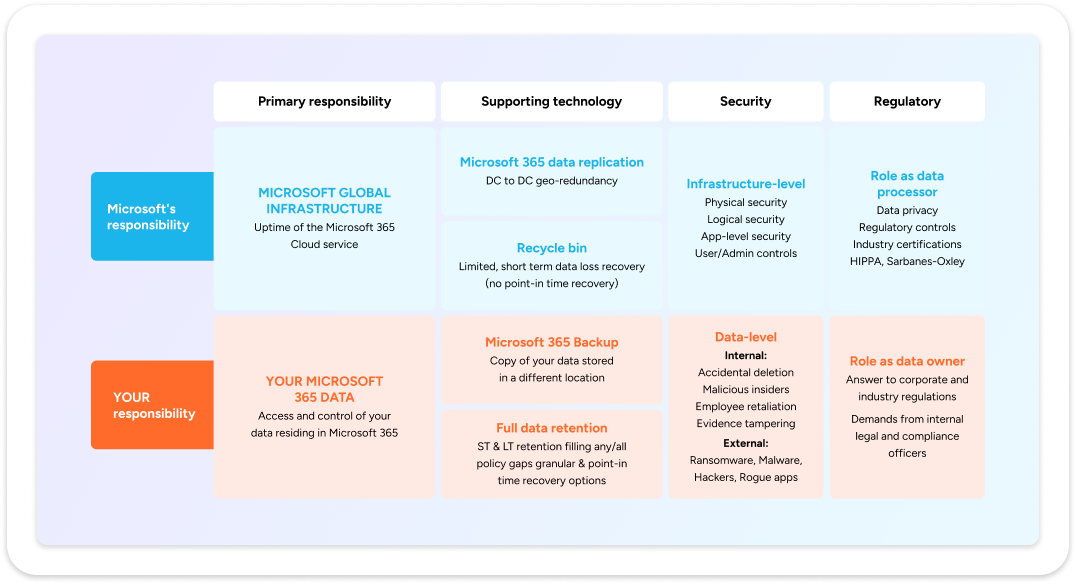
Microsoft 365 follows a shared responsibility model. While Microsoft secures the platform and infrastructure, your data remains your responsibility. This means protecting it against accidental deletions, ransomware, and compliance gaps is up to you. Relying only on native retention features leaves critical risks uncovered—especially in regulated environments.

Backups Since 1998, We've Got You Covered

Safeguarding data long before the "Cloud" was invented.

Backups before "Cloud" was invented

Founded in 1998, Mindtime has decades of experience protecting business-critical data across every IT era.

Protection that goes further

Native Microsoft tools fall short against ransomware, accidental deletions, and GDPR demands.

Dutch, sovereign and certified

ISO 27001 certified, EU-hosted infrastructure in the Netherlands and Germany, and over 25 years of expertise.

Mindtime backup for Microsoft 365
Plan & Pricing

Long Term
 Price Lock

One simple plan
Flat per user price

All Inclusive 
No add-ons

Features

Unlimited Storage: all inclusive

Backup for Exchange, SharePoint, OneDrive and Teams

Granular and flexible recovery

Backup locations Netherlands and Germany

Fully owned backup infrastructure: no hyperscalers

Full GDPR compliant

Fast backups – No throttling

Local support in Dutch, German and English

Scalable & Cost-Effective: no hidden fees

Best Value
Mindtime Logo

Mindtime M365

0.00

Per user/month billed annually

1 year
Everything you need to secure your M365
✓
✓
✓
✓
✓
✓
✓
✓
✓
Mindtime Logo

Others

€€€

Unclear Pricing

Hidden Charges

Weak and incomplete security
✓
✓
✓
✓
✓
✓
✓
✓
✓

Save time, reduce cost with
Mindtime M365 backup

Effortless backup

Seamlessly back up your files to the mindtime cloud. 

Recover in minutes, not days

15-minute RPO + granular restores mean you’re back online fast

Full control of your data

You own clean, portable backups forever

Frequently asked questions

Does Microsoft 365 already back up my data? +

Not in the way most organizations mean “backup.” Microsoft 365 is designed for high availability and continuity of the service and it includes helpful native capabilities (like recycle bins, version history and retention features). However, those features are not the same as an independent, comprehensive backup that lets you restore data on demand across scenarios such as accidental deletion, malicious activity, misconfiguration or tenant-level incidents.
In practice, Microsoft 365 follows a shared responsibility approach: Microsoft secures and operates the cloud service, while your organization remains responsible for protecting its own data and ensuring it can be recovered when needed.

How can I back up my Microsoft 365 data? +

For reliable Microsoft 365 backup, organizations typically choose a dedicated third-party backup that is built specifically for backup and recovery. With Mindtime Microsoft 365 Backup, the goal is straightforward: create an independent copy of your critical Microsoft 365 data and make recovery fast and predictable, whether you need to restore a single email, a folder or larger sets of data.
A good Microsoft 365 backup approach should also support clear scheduling (to meet your RPO/RTO needs), granular restores and strong search to help with operational recovery as well as compliance and eDiscovery-related requests.

What is the standard retention policy in Microsoft 365? +

Retention in Microsoft 365 depends on the workload and configuration and it often behaves differently than people expect. Exchange Online may retain deleted items for a limited period (often 14 days by default, configurable up to 30 days), while SharePoint Online retains deleted items in the recycle bin for a longer period (commonly up to 93 days).
It’s also important to understand what happens when user accounts change. When an employee leaves and their Microsoft 365 account is removed, the associated data can become unavailable after a grace period—unless it was preserved elsewhere. And because retention configuration can be complex, mistakes or misconfigurations can lead to permanent loss. That’s why many organizations treat an independent Microsoft 365 backup as a practical safety net.

Why use Mindtime instead of relying on Microsoft’s first-party options (such as Microsoft 365 Backup Storage)? +

Microsoft’s native and first-party options can be useful in specific situations, but many organizations still choose a dedicated backup for one core reason: independence.

  • A separate backup copy (so recovery doesn’t depend on the same environment where the incident occurs)
  • Control over restore and retention aligned with your organization’s operational and compliance needs
  • A clear fit for organizations operating in the EU market (Netherlands, Belgium, Luxembourg, Germany) where data governance, accountability, and audit readiness matter day-to-day

What counts as a “user” in Microsoft 365 backup? +

For Microsoft 365 backup sizing, a “user” typically means a unique Microsoft 365 account you choose to protect. Even if that person uses multiple services (for example Exchange Online, SharePoint Online and OneDrive), they are usually counted once from a protection perspective, because the data belongs to the same identity in your tenant.
(Exact counting can depend on how your tenant is structured, and whether shared mailboxes or service accounts are included in scope.)

How many Microsoft 365 users should I back up? +

In most organizations, the safest answer is: all users that generate or handle business-critical data. Every mailbox, OneDrive and collaboration space can contain information that matters for continuity, legal obligations, customer commitments or simply day-to-day operations. Leaving gaps creates risk, because the one account you didn’t protect can become the one you urgently need during a recovery or compliance request.

× Enlarged view
Scroll to Top